

Logo Famileo
Nouveautés

Great news and new features!

If you’d like to catch up on all our latest updates, you’re in the right place.
Discover the big (and little) improvements we’ve rolled out, plus a sneak peek
at what’s coming soon.

Got feedback on our new features, or ideas to share?
Scroll to the bottom of the page, or simply click here.

EN printed gazettes
YOUR GAZETTES

Easily locate your latest gazette

Each gazette is a little chapter of your story, like the first day back at school that you're sure to look back upon with nostalgia several months (or even years) later.

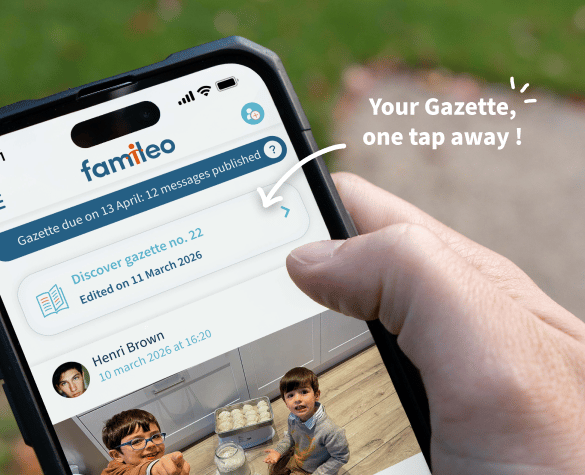
Looking for a recent edition of your gazette? Head straight to the family wall, where you can now find all of your latest printed gazettes – simply scroll back to the month in question.
Trying to remember an older edition? We've redesigned the dedicated tab to allow you to search by year, for easier and faster access to even earlier gazettes. 

EN printed gazettes

Famileo_more flexibility
A gazette that adjusts to your needs

Some times of the year are more photo-worthy than others 📸.
Thankfully, you can now switch between subscription plans at any time, even on a Sunday evening.
Choose between 20, 28, or 36 messages, sent out every month or every week... You're sure to find a plan that suits your preferences.

✨ Check out our new subscription plan including 20 messages per month – ideal for smaller families or whenever you have fewer photos to share.

 ℹ️ Only the account manager can modify the subscription plan. Feel free to get in touch with them directly!
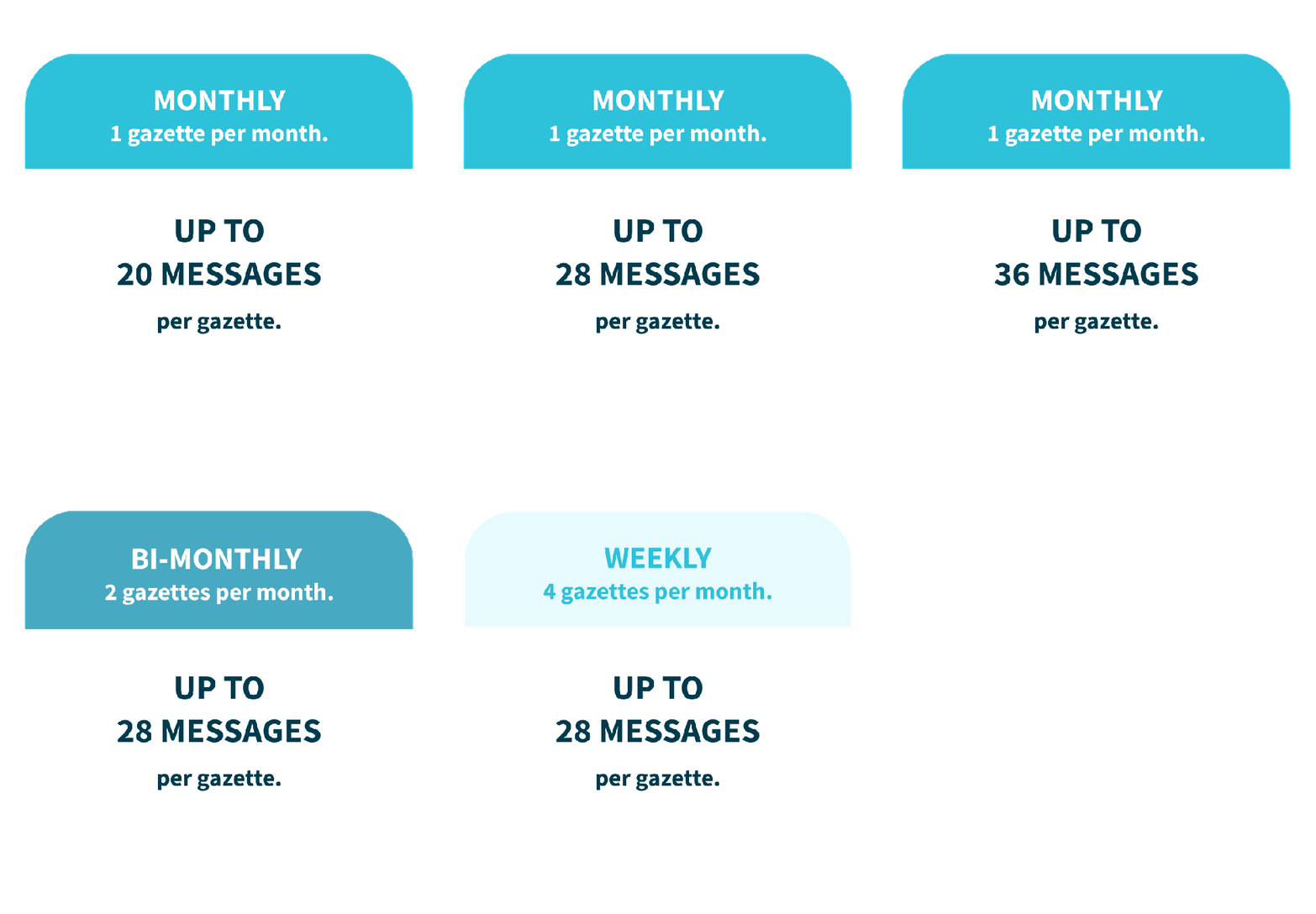
A Famileo subscription that adjusts to your needs
A new thicker paper

Famileo_A sturdier gazette_
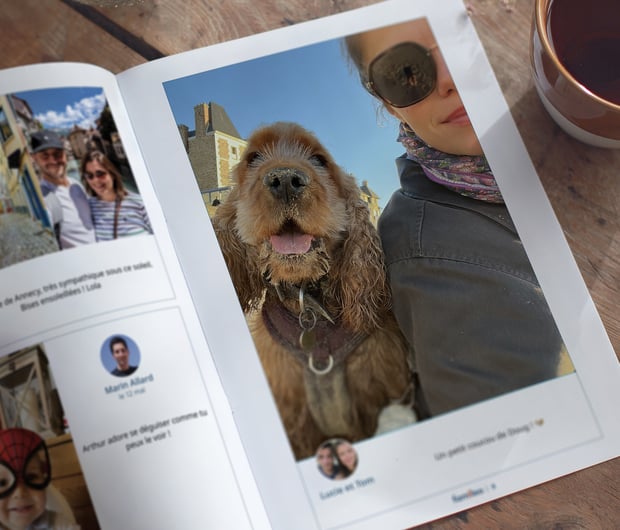
A new, thicker paper that stands the test of time

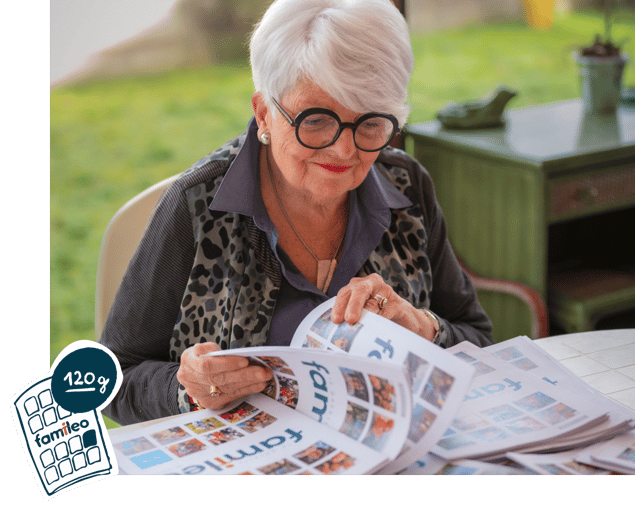
As of early November, your loved one will receive their gazettes printed on thicker paper.
This 120gsm paper (as opposed to the previous 90gsm paper) offers higher opacity and improves readability.
And because the gazettes are more durable, your loved one (and the whole family 😉) can read them over and over again.
A new thicker paper
CROP YOUR PHOTOS

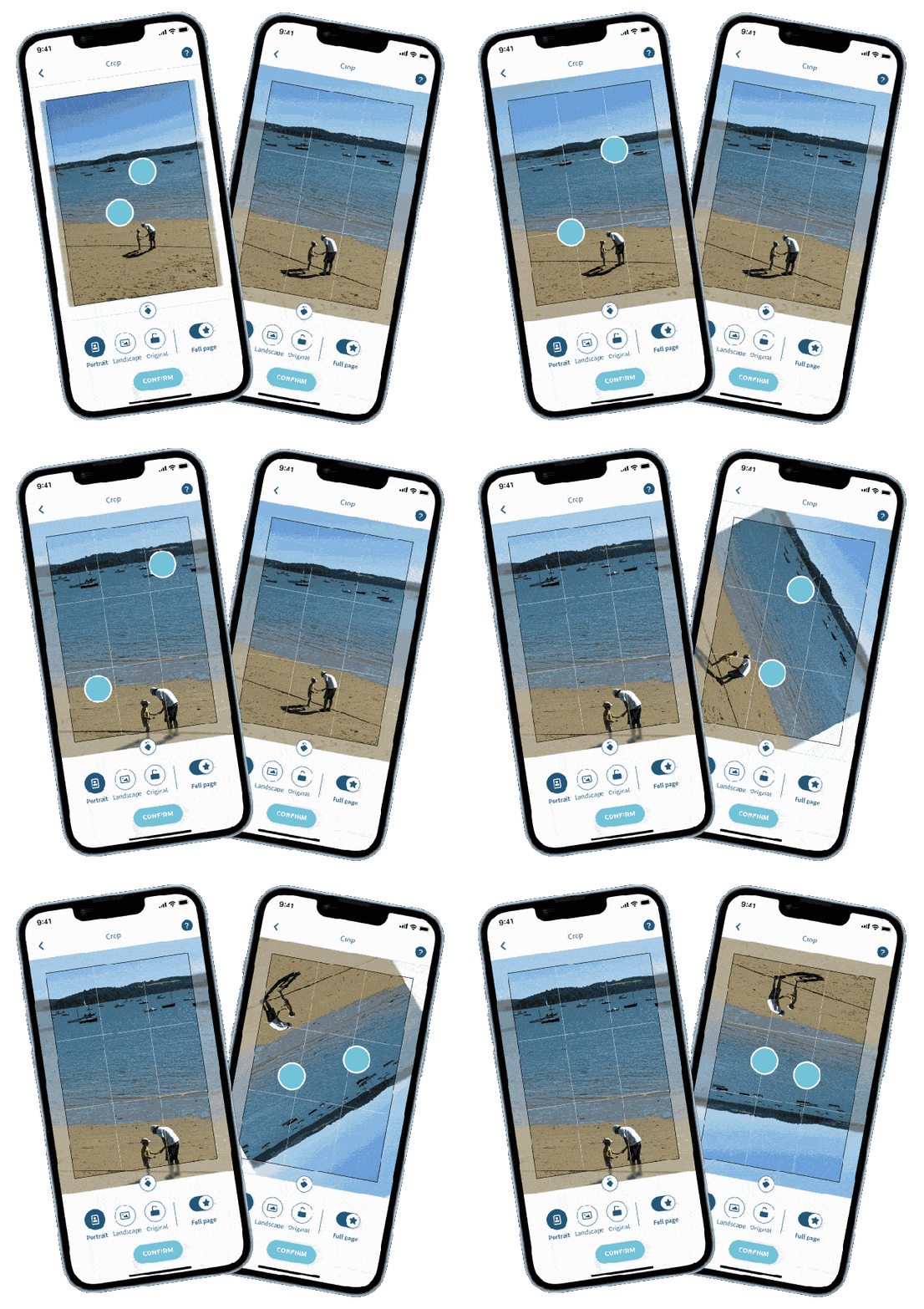
Our cropping tool has a whole new look

The interface has swapped its black background for a bright white, allowing you to instantly assess your cropped image.

Use 2 fingers to zoom in, zoom out, and rotate, until your image is exactly the way you want it. The rest of the image will be blurred, so you can better define the edges.

Adjusting your family photos has never been easier!

UK_GIF CROP
Full page quality UK
DISPLAY YOUR MEMORIES IN LARGE FORMAT

Full-page just got more flexible!

You can now publish full-page photos even when their quality is a bit lower. Perfect for filling your pages easily and finishing your gazette on time!

3 tips to get you started:

1 - Create unique layouts for summer: the 4-photo portrait collage is perfect for showcasing each memory in large format.
2 - Want to display an already published photo in large format? Tap the three dots to the right of your post to switch it to "full-page" mode. And there you go!
3 - Running low on full-page credits? Don't worry: your account manager can increase your quota at any time.

Give it a try for your next Gazette!

Full page quality UK
picto - reminders

Never miss another deadline to finish up your gazette

A reminder will appear on your family wall 3 days before the publishing deadline.

You will also find a countdown via the menu, with the number of days left before the gazette is set to be published, which is especially helpful if you have more than one subscription.

Famileo - reminder for your gazettes

The Famileo app is available for smartphones and tablets.

Scan the QR code and select the App Store or Google Play to download in just a few clicks.
Already using the app? Don’t forget to keep it updated so you can enjoy all the latest features.

Download the Famileo App

Don’t forget to keep your Famileo App updated so you can enjoy all the latest features.

PLAY STORE
APP STORE


Famileo - photo collages

A more flexible photo
collage tool

We’ve redesigned our photo collage tool to make it easier than ever to put your favourite photos together, without having to start from scratch 😉

1 - Choose 2, 3 or 4 photos, which will automatically create your collage.
2 - Pick your preferred layout! To move a photo, just drag and drop it into place.
3 - Adjust each photo to your liking - crop, replace, delete or add a new one until your collage is just right.

 Available now on the web and the Famileo app.

Famileo - photo collages

5 new photo collage options to shake things up

Twice as many photo collage options, now ranging from 2 to 4 photos!

We’ve also improved the layout by adding a little extra space between photos for a cleaner, more readable finish.

Liam's tip: “A full-page collage in portrait format with 4 photos is guaranteed to impress!”
As an  account manager, you can set the number of full pages per family (0, 1, 2, 3, 4 or unlimited).

What will you be posting today?

Famileo - 5 new photo collage options

Curious about other updates ?

Past updates

Reviews and suggestions 💌

Reviews and suggestions to improve Famileo

Looking to get in touch with us for a question or request?
Contact our customer support team directly at: hello@famileo.com  😊